Konfipay
By
Makeitfuture Need help with building your automation?
Ready to talk to our expert team?Let's use Konfipay on Make.com and rock your !
Use Konfipay in Make.com and automate your Payments within Minutes. You can find a full list down below!
Sum Up!
- Automate your Payments
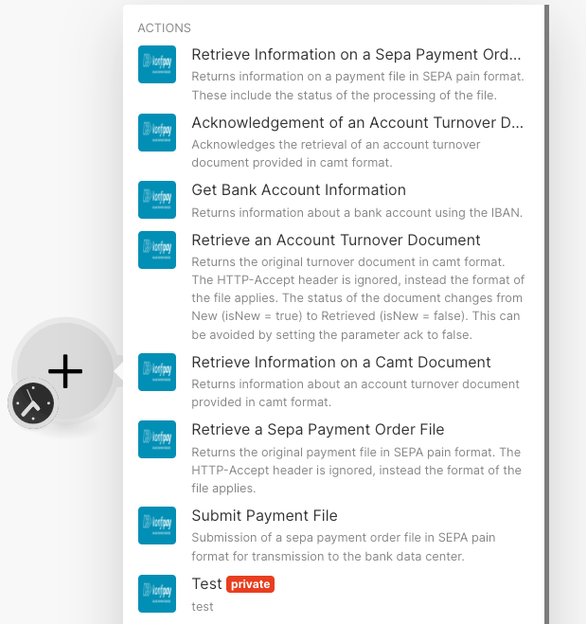
Actions (7)
Acknowledgement of an Account Turnover Document
Acknowledges the retrieval of an account turnover document provided in camt format.
Get Bank Account Information
Returns information about a bank account using the IBAN.
Retrieve an Account Turnover Document
Returns the original turnover document in camt format. The HTTP-Accept header is ignored, instead the format of the file applies. The status of the document changes from New (isNew = true) to Retrieved (isNew = false). This can be avoided by setting the parameter ack to false.
Retrieve Information on a Camt Document
Returns information about an account turnover document provided in camt format.
Retrieve Information on a Sepa Payment Order File
Returns information on a payment file in SEPA pain format. These include the status of the processing of the file.
Retrieve a Sepa Payment Order File
Returns the original payment file in SEPA pain format. The HTTP-Accept header is ignored, instead the format of the file applies.
Submit Payment File
Submission of a sepa payment order file in SEPA pain format for transmission to the bank data center.
Searches (2)
Retrieve History Documents
Returns an overview of all account turnover documents provided in the camt format with a timestamp within the specified period.
Retrieve Turnover Documents
Returns an overview of all account turnover documents provided in the camt format, which have the status New
Screenshot of:
Konfipay